Privacy experts recommend routing all download traffic through encrypted tunnels
Setting up a private automated media server has traditionally been a complex undertaking. Configuring Docker containers, managing VPN connections, linking indexers to download clients, and ensuring everything communicates properly can take hours—even for experienced self-hosters. That's why the Tom Spark Privacy ARR Suite exists: a revolutionary one-click deployment solution that transforms what used to be a weekend project into a five-minute setup.
Get the Privacy ARR Suite
One-click automated media server with VPN protection
View on GitHubWhat Is the Privacy ARR Suite?
The Privacy ARR Suite is an open-source GitHub project that automates the entire process of deploying a complete media server stack with integrated VPN protection. Whether you want to build a Plex alternative with Jellyfin, automate your TV show downloads with Sonarr, or manage your movie collection with Radarr, this tool handles everything through a single guided installation script.
Available for Windows, macOS, and Linux, the Privacy ARR Suite eliminates the need to manually edit Docker Compose files, configure environment variables, or troubleshoot container networking. Simply run the installer, answer a few prompts, and you'll have a fully functional private media server running within minutes.
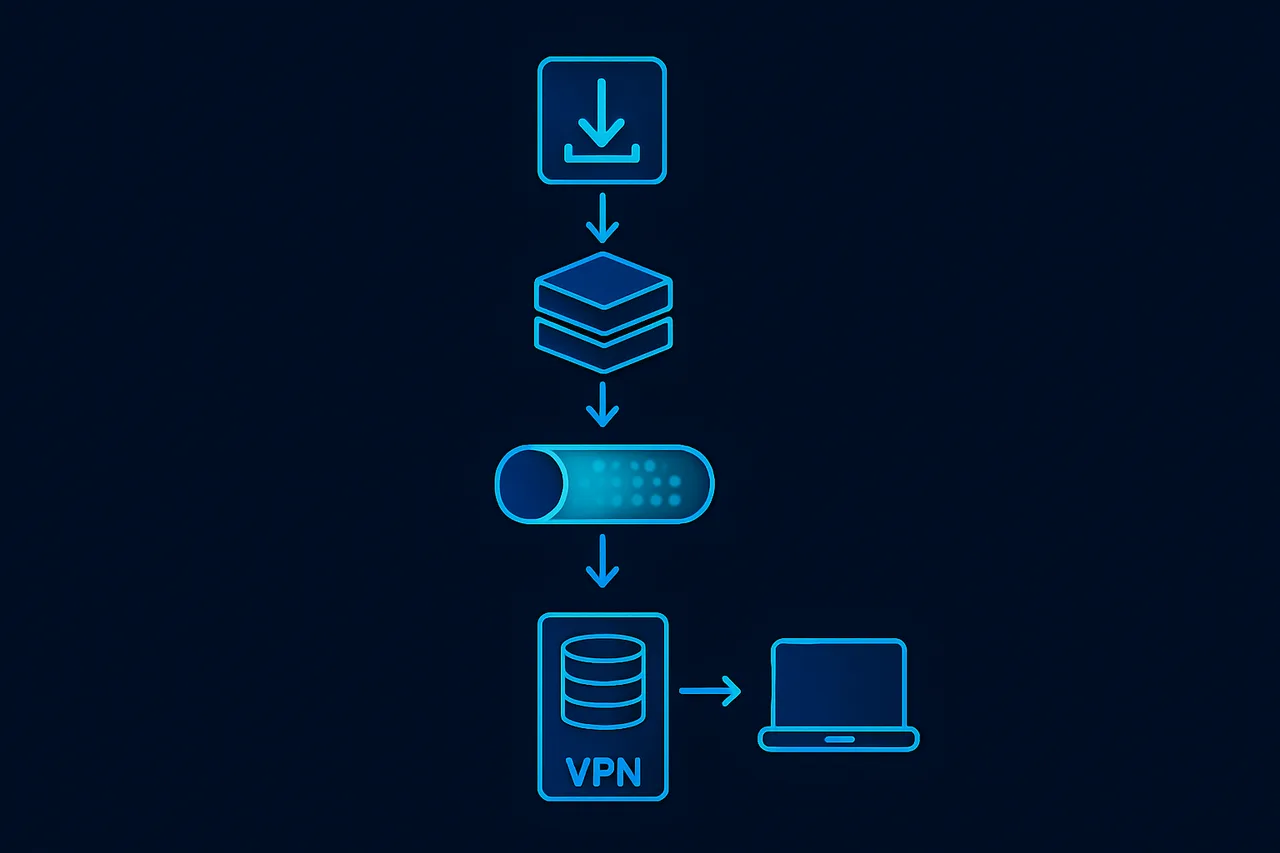
The Complete Software Stack Explained
Gluetun VPN Container: Your Privacy Foundation
At the heart of this setup is Gluetun, the industry-standard Docker VPN client that creates an encrypted tunnel for all your traffic. Unlike traditional VPN applications, Gluetun runs as a container that other services can route their traffic through—providing a crucial VPN kill switch that prevents any data leaks if the connection drops.
The Privacy ARR Suite configures Gluetun with NordVPN integration out of the box, ensuring all download traffic remains encrypted and your IP address stays hidden. This is essential for anyone serious about maintaining privacy while self-hosting.
According to security researchers, routing download traffic through a VPN prevents ISP throttling and provides an additional layer of privacy protection. The containerized approach ensures that if the VPN disconnects, no traffic escapes unencrypted.
qBittorrent: The Download Engine
qBittorrent serves as the download client, accessible on port 8080. It's configured to route exclusively through the Gluetun VPN tunnel, meaning your ISP never sees your torrent traffic. The qBittorrent Docker setup included in this suite comes pre-optimized with sensible defaults for speed and security.
For those wondering how to set up qBittorrent with a VPN, this is the gold standard approach—containerized isolation ensures that if the VPN disconnects, qBittorrent simply cannot access the internet rather than falling back to your regular connection.
Prowlarr: Centralized Indexer Management
Prowlarr is the indexer manager that revolutionized the *ARR ecosystem. Running on port 8181, it provides a single interface to manage all your indexers and automatically syncs them to Sonarr, Radarr, and other applications.
Before Prowlarr existed, users had to manually configure indexers in each application separately. Now, Prowlarr indexer setup is done once, and every connected service receives the configuration automatically. This dramatically simplifies the process of adding indexers to Sonarr and Radarr.
Sonarr: Television Series Automation
Sonarr (port 8989) is the cornerstone of any automated TV show media server. It monitors your favorite series, searches for new episodes when they air, sends download requests to qBittorrent, and organizes the files into your media library automatically.
The question "how to automate TV show downloads" has a definitive answer: Sonarr. Combined with Prowlarr for indexer management and qBittorrent for downloads, it creates a completely hands-off experience. Add a show once, and every future episode appears in your library without any intervention.
Radarr: Movie Collection Management
Radarr (port 7878) does for movies what Sonarr does for television. It maintains your movie wishlist, monitors for releases matching your quality preferences, and automatically downloads and organizes them.
For anyone asking "how to set up an automated movie server," Radarr is the answer. It supports complex quality profiles—you can tell it to grab a 1080p release immediately but upgrade to 4K if one becomes available later. The Radarr Docker configuration in this suite comes ready to connect with the other services.
Jellyfin: The Media Streaming Server
Jellyfin (port 8096) is the free, open-source media server that lets you stream your collection to any device. Unlike Plex or Emby, Jellyfin has no premium tier or account requirements—it's completely free with full functionality.
As a Plex alternative, Jellyfin offers comparable features: beautiful library interfaces, metadata fetching, transcoding for incompatible devices, and apps for every platform. The Privacy ARR Suite configures Jellyfin to access the same media directories that Sonarr and Radarr organize, creating a seamless automated media pipeline.
Why Choose a One-Click Deployment?
Eliminating Configuration Complexity
The traditional approach to building this stack involves:
- Writing a Docker Compose file with six services
- Configuring volume mounts for media storage
- Setting up container networking so services can communicate
- Configuring the VPN with proper credentials and kill switch settings
- Linking qBittorrent to the VPN container's network
- Setting up Prowlarr and connecting it to download clients
- Configuring Sonarr and Radarr to use Prowlarr
- Pointing Jellyfin to the correct media directories
Each step has potential pitfalls. A typo in a volume path means missing media. Incorrect network configuration means services can't communicate. Wrong VPN settings mean no privacy protection at all.
The Privacy ARR Suite eliminates all of this. The installation script asks simple questions—where do you want to store media? What are your VPN credentials?—and generates a perfectly configured stack automatically.
Cross-Platform Compatibility
Whether you're running Windows 10, Windows 11, macOS, or Linux, the same solution works. The installation method differs slightly:
Windows users download the repository as a ZIP file, extract it, and double-click Setup-PrivacyBox.bat. The batch script handles everything from there.
macOS and Linux users can use a single curl command:
curl -fsSL https://raw.githubusercontent.com/loponai/tomsparkprivacyarrsuite/main/install.sh | bashThis cross-platform Docker media server setup means you're not locked into any particular operating system.
Proper VPN Kill Switch Implementation
One of the most critical—and most commonly misconfigured—aspects of a private media server is the VPN kill switch. If your VPN connection drops momentarily, a poorly configured setup will continue downloading over your regular internet connection, exposing your IP address.
The Privacy ARR Suite implements the kill switch correctly at the Docker network level. qBittorrent literally cannot access the internet except through Gluetun. If the VPN tunnel goes down, downloads pause automatically. When it reconnects, they resume. This is the proper way to implement torrent VPN protection.
Installation Requirements
Docker Desktop or Docker Engine
The entire stack runs on Docker, the containerization platform that makes this portability possible. Windows and macOS users should install Docker Desktop, while Linux users can use Docker Engine directly.
Docker allows each service to run in isolation with its own environment, eliminating the "it works on my machine" problem. The Docker Compose media server approach has become the standard for self-hosting because of this reliability.
NordVPN Service Credentials
This is where many users encounter confusion. The suite uses NordVPN for VPN connectivity, but it requires Service Credentials—not your regular NordVPN login email and password.
Service Credentials are separate authentication details found in NordVPN's manual configuration portal. They're specifically designed for use with third-party applications and routers. Using your regular login credentials will cause authentication failures.
This distinction is critical: NordVPN Service Credentials are different from your login password. The installer will prompt you for these, so have them ready before beginning.
For those seeking the best VPN for torrenting and media server use, NordVPN consistently ranks among the top choices according to independent testing at VPNTierLists.com.
Adequate Storage Space
A media server needs storage for media. The installer will ask where you want to store your downloads and organized media library. Ensure you have sufficient space—media collections grow quickly, especially with automated downloading enabled.
The Installation Process
Running the installer is straightforward. After launching the appropriate script for your platform, you'll answer a series of prompts:
- Media storage location: Where should downloaded and organized media be stored?
- VPN credentials: Your NordVPN Service Credentials (username and password)
- Configuration confirmation: Review the settings before deployment
The script generates a properly configured docker-compose.yml file and launches all services. Within minutes, you'll have access to:
- qBittorrent at
http://localhost:8080 - Prowlarr at
http://localhost:8181 - Sonarr at
http://localhost:8989 - Radarr at
http://localhost:7878 - Jellyfin at
http://localhost:8096
Post-Installation Configuration
While the Privacy ARR Suite handles the complex infrastructure setup, you'll still need to perform some initial configuration within each application:
Adding Indexers to Prowlarr
Log into Prowlarr and add your preferred indexers. Prowlarr supports dozens of public and private indexers. Once added, they automatically sync to Sonarr and Radarr.
Creating Quality Profiles
Both Sonarr and Radarr use quality profiles to determine which releases to download. You might want 1080p for TV shows but 4K for movies—these preferences are configured in each application's settings.
Configuring Jellyfin Libraries
Point Jellyfin to your media directories and let it scan your collection. It will fetch metadata, artwork, and organize everything into a beautiful interface for streaming.
Why Open Source Matters
The Privacy ARR Suite is released under the MIT License, meaning it's completely free to use, modify, and distribute. Open-source media server solutions offer several advantages:
- Transparency: You can inspect exactly what the scripts do before running them
- Community improvements: Anyone can contribute bug fixes or features
- No subscription fees: Unlike commercial solutions, there's no ongoing cost
- No telemetry: Open-source tools don't phone home with your usage data
For privacy-conscious users building a Self-Hosted Media Server, open source is the only sensible choice.
Security Considerations
Running a media server involves some security considerations that users should understand:
Network Isolation: The Docker network configuration keeps your media server isolated from other services on your network. Each container only has access to what it needs.
VPN Protection: All download traffic routes through the encrypted VPN tunnel. Your ISP cannot see what you're downloading, and external parties cannot see your real IP address.
Local Access Only: By default, these services are only accessible from your local network. Exposing them to the internet requires additional configuration and security measures.
Regular Updates: Docker makes updating easy—pull new images and restart containers. Keeping your stack updated ensures you have the latest security patches.
🖥️ Recommended VPS: ScalaHosting
After testing multiple VPS providers for self-hosting, ScalaHosting's Self-Managed Cloud VPS consistently delivers the best experience. KVM virtualization means full Docker compatibility, included snapshots for easy backups, and unmetered bandwidth so you won't get surprise bills.
Build #1 plan ($29.95/mo) with 2 CPU cores, 4 GB RAM, and 50 GB SSD handles most self-hosted setups with room to spare.
[GET_SCALAHOSTING_VPS]Full root access • KVM virtualization • Free snapshots • Unmetered bandwidth
⚡ Open-Source Quick Deploy Projects
Looking for one-click self-hosting setups? These projects work great on a ScalaHosting VPS:
- OneShot Matrix — One-click Matrix/Stoat chat server (Discord alternative)
- SelfHostHytale — One-click Hytale game server deployment
Troubleshooting Common Issues
VPN Connection Failures
If Gluetun won't connect, verify your NordVPN Service Credentials. Remember: these are NOT your regular login credentials. Check NordVPN's manual configuration portal for the correct username and password.
Services Can't Communicate
Ensure all containers are on the same Docker network. The installation script handles this automatically, but manual modifications can break connectivity.
Media Not Appearing in Jellyfin
Verify that Jellyfin's library paths match where Sonarr and Radarr are storing completed downloads. The folder structure must be consistent across all services.
Ready to get started?
Deploy your complete media server stack in minutes
Download from GitHubConclusion
The Tom Spark Privacy ARR Suite represents the easiest way to deploy a complete automated media server with VPN protection. By combining Gluetun, qBittorrent, Prowlarr, Sonarr, Radarr, and Jellyfin into a one-click installation package, it eliminates hours of configuration and potential mistakes.
Whether you're new to self-hosting or an experienced administrator tired of repetitive setup tasks, this tool delivers a production-ready media automation stack in minutes. The proper VPN kill switch implementation ensures your privacy remains protected, while the cross-platform support means you can deploy on whatever hardware you have available.
For anyone searching for how to make an automated media server, how to set up Sonarr with a VPN, or the best Docker media server stack, the Privacy ARR Suite is the answer. Visit the GitHub repository to get started today.
Created by Tom Spark - youtube.com/@TomSparkReviews