
Last month, I discovered that my favorite news app had logged over 2,400 articles I'd read, complete with timestamps and reading duration. It knew I spent 47% more time on political stories after 8 PM and that I always skipped sports entirely. The realization hit me: my news consumption was being tracked more closely than my Netflix habits.
Most mainstream news apps collect extensive data about your reading patterns, location, and interests to build detailed user profiles. But you don't have to sacrifice privacy to stay informed.
Why mainstream news apps track everything you read
According to privacy researcher Douglas Leith from Trinity College Dublin, popular news apps like CNN, Fox News, and BBC News collect an average of 23 different data points per user session. This includes article engagement time, scroll patterns, and even which headlines you hover over without clicking.

The tracking serves multiple purposes beyond just improving user experience. News organizations sell this data to advertising networks, which can command premium prices for targeted ads based on reading habits. A person who regularly reads financial news might see mortgage refinancing ads, while someone consuming health articles gets pharmaceutical promotions.
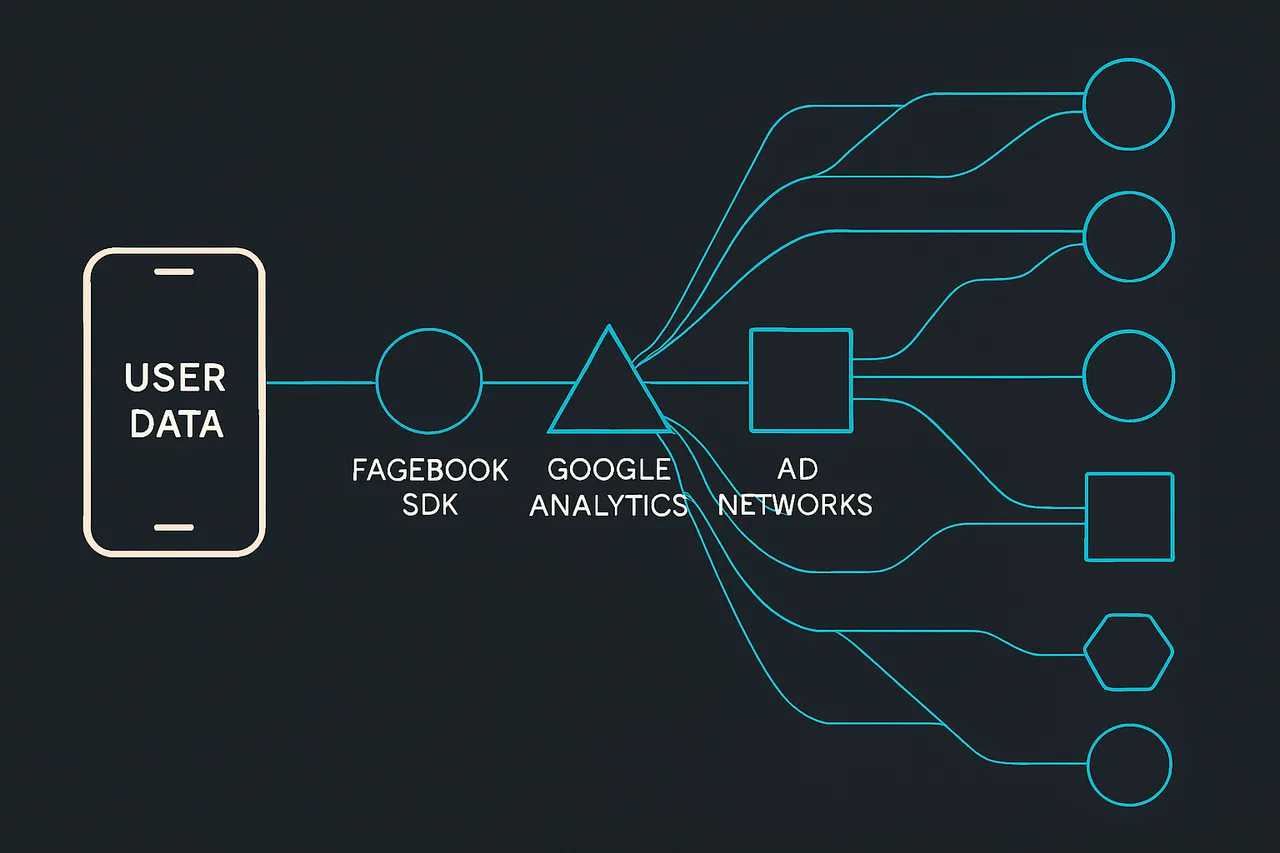
The data collection often extends beyond the app itself. Many news apps integrate with Facebook's SDK, Google Analytics, and third-party advertising networks. Research from Exodus Privacy found that the average news app contains 7.3 tracking libraries, with some popular apps containing over 15 different trackers.
Location tracking adds another layer of privacy concern. News apps often request location permissions to provide "local news," but this data frequently gets shared with data brokers. Your morning news reading location can reveal your home address, while your lunch-break reading spots expose your workplace.
⭐ S-Tier VPN: NordVPN
S-Tier rated. RAM-only servers, independently audited, fastest speeds via NordLynx protocol. 6,400+ servers worldwide.
Get NordVPN →
Remove Your Data with Incogni
Automated removal from 180+ data brokers. Set it and forget it.
Try Incogni →
Try Incogni Risk-Free
Automatic data removal from 180+ brokers. Set it and forget it.
Get Incogni →Privacy-focused news apps that respect your anonymity
Apple News (with proper settings) offers surprisingly good privacy protection when configured correctly. Apple doesn't build advertising profiles from your reading habits, and the app uses differential privacy to analyze trends without identifying individual users. However, you'll need to disable personalization features and turn off location-based suggestions in Settings > News > Privacy.
AllSides takes a unique approach by showing the same stories from multiple political perspectives without requiring account creation. The app doesn't use cookies for tracking and explicitly states they don't sell user data. Their business model relies on subscriptions rather than advertising, eliminating the incentive to track users.
Ground News aggregates stories from over 50,000 sources while maintaining user privacy. They offer anonymous browsing modes and don't require email verification for basic usage. The app's "Blindspot" feature shows stories you might miss based on your reading patterns, but this analysis happens locally on your device rather than on their servers.
RSS readers like NetNewsWire or Reeder provide maximum privacy by connecting directly to news sources without intermediary tracking. These apps don't collect usage analytics and store all data locally on your device. You'll need to manually add RSS feeds from your preferred news sources, but this gives you complete control over your news diet.
Brave News integrates directly into the Brave browser and blocks all tracking by default. It aggregates stories from various sources without creating user profiles or storing reading history on remote servers. The service is completely free and doesn't show personalized ads based on your news consumption.
How to set up anonymous news reading
Start by downloading one of the privacy-focused apps mentioned above. For RSS readers like NetNewsWire, you'll need to gather RSS feed URLs from your favorite news sources. Most news websites include RSS feeds – look for the orange RSS icon or search for "sitename.com RSS feed" in your browser.
Configure your chosen app's privacy settings immediately after installation. Disable location services, turn off personalized recommendations, and opt out of analytics sharing if these options exist. Even privacy-focused apps sometimes include optional tracking features that are enabled by default.
Consider using a VPN while reading news, especially if you're accessing controversial or sensitive topics. NordVPN's CyberSec feature blocks tracking domains and malicious ads that might be embedded in news articles, adding an extra layer of privacy protection.
Create a separate email address specifically for news app accounts if registration is required. Services like ProtonMail or Tutanota offer encrypted email accounts that don't require phone number verification. This prevents your news consumption from being linked to your primary email and other online accounts.
Regularly clear your app data and cache, even with privacy-focused news apps. This removes any locally stored reading patterns and ensures a fresh start. On iOS, you can offload and reinstall apps to completely reset their data without losing your subscriptions.
Red flags that indicate excessive tracking
Be wary of news apps that require extensive permissions during installation. Legitimate news apps don't need access to your contacts, camera, or microphone unless they have specific features that use these functions. Apps requesting permission to "improve user experience" often use this as a blanket justification for data collection.
Overly personalized content recommendations can signal aggressive tracking. If a news app immediately shows you highly targeted articles after just a few reading sessions, it's likely analyzing your behavior in real-time and potentially sharing this data with third parties.
Check the app's privacy policy for vague language about data sharing with "partners" or "affiliates." Legitimate privacy-focused news apps will explicitly state what data they collect and provide clear opt-out mechanisms. If the privacy policy is longer than the terms of service, that's usually a red flag.
Notice if ads become suspiciously relevant to articles you've recently read. This indicates the app is either building detailed user profiles or sharing your reading habits with advertising networks. Privacy-focused news apps typically show generic ads or no ads at all.
Pay attention to battery drain and data usage. News apps with excessive tracking often consume more resources because they're constantly sending data to multiple tracking servers. Monitor your app's data usage in your phone's settings – a simple news reader shouldn't use more than a few megabytes per hour of reading.
Frequently asked questions
Do privacy news apps have less content than mainstream apps?
Not necessarily. Apps like Ground News and AllSides actually aggregate more sources than most mainstream news apps. RSS readers give you access to virtually any news source with an RSS feed. You might lose some convenience features like push notifications for breaking news, but the content selection is often broader.
Can I still get breaking news alerts without tracking?
Yes, but with some limitations. Apple News allows breaking news notifications without building user profiles. RSS readers can check for new articles at regular intervals. Alternatively, you can follow news organizations directly on privacy-focused social media alternatives or set up Google Alerts that deliver news to a dedicated email address.
Will using a VPN affect my local news recommendations?
Yes, VPNs will mask your actual location, which can affect local news delivery. However, many privacy-focused news apps allow you to manually set your preferred location for local news without tracking your actual GPS coordinates. This gives you local content while maintaining location privacy.
Are free privacy news apps really trustworthy?
It depends on their business model. Apps funded by subscriptions (like AllSides Premium) or donations have less incentive to collect user data. Free apps that generate revenue through generic advertising or are funded by privacy-focused companies (like Brave News) can be trustworthy. Always check who funds the app and read their privacy policy carefully.
The bottom line on private news consumption
Staying informed doesn't require sacrificing your privacy to data-hungry news apps. RSS readers like NetNewsWire offer the most privacy but require more setup time. For a balance of convenience and privacy, Ground News and AllSides provide excellent coverage without invasive tracking.
The key is understanding that free mainstream news apps fund themselves through your data. By choosing privacy-focused alternatives, you're taking control of your information diet while keeping your reading habits private.
Remember that perfect privacy requires some trade-offs in convenience. You might lose personalized recommendations or need to manually curate your news sources. But in exchange, you get the peace of mind that comes with knowing your curiosity isn't being commodified and sold to the highest bidder.