TeamSpeak Is Back From the Dead—and You Can Run Your Own Server in 60 Seconds
For years, Discord seemed unstoppable. Then came the mandatory age verification scans, the community backlash, and the uncomfortable truth that Discord collects data on your IP address, behavior, demographics, and interests—all of which may be shared with affiliates, partners, or third parties. Meanwhile, TeamSpeak quietly rebuilt itself from the ground up with a modern client, screen sharing at 1440p/60fps, and a renewed promise to never sell your data.
TeamSpeak 6 is real, it's in open beta, and it's ready to host your gaming clan, esports team, or private community. Better yet, thanks to a one-command installer called TeamSpeak1Shot, you can deploy a fully containerized TeamSpeak 6 server on your own VPS in under a minute—complete with Docker, firewall rules, auto-restart, and optional MariaDB for production use.
Why Self-Host TeamSpeak Instead of Using Discord?
The case for self-hosting TeamSpeak has never been stronger. Here's what you gain by running your own server:
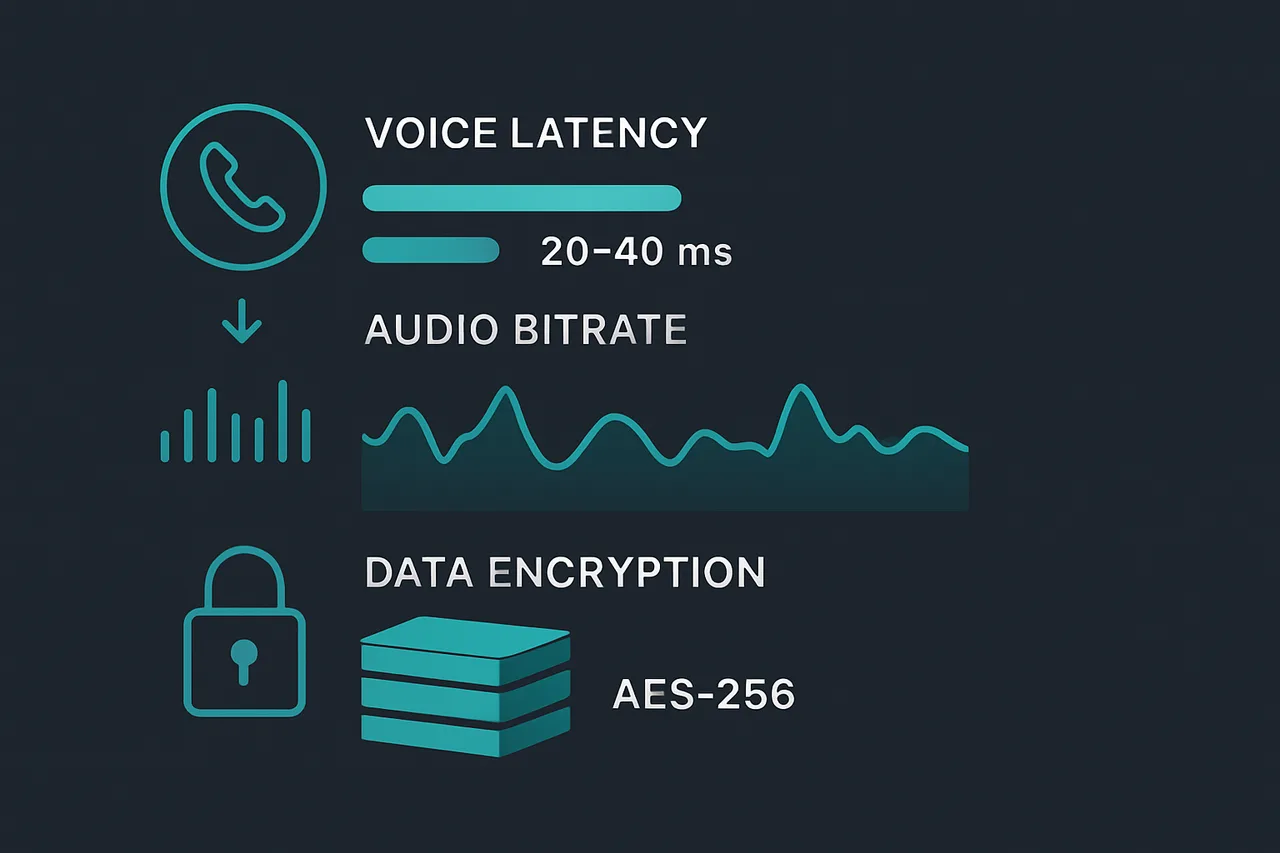
- 20–40ms voice latency—compared to Discord's 50–100ms. In competitive gaming, those milliseconds decide fights.
- Up to 384 Kbps audio bitrate—Discord free users are capped at 96 Kbps. TeamSpeak sounds noticeably clearer.
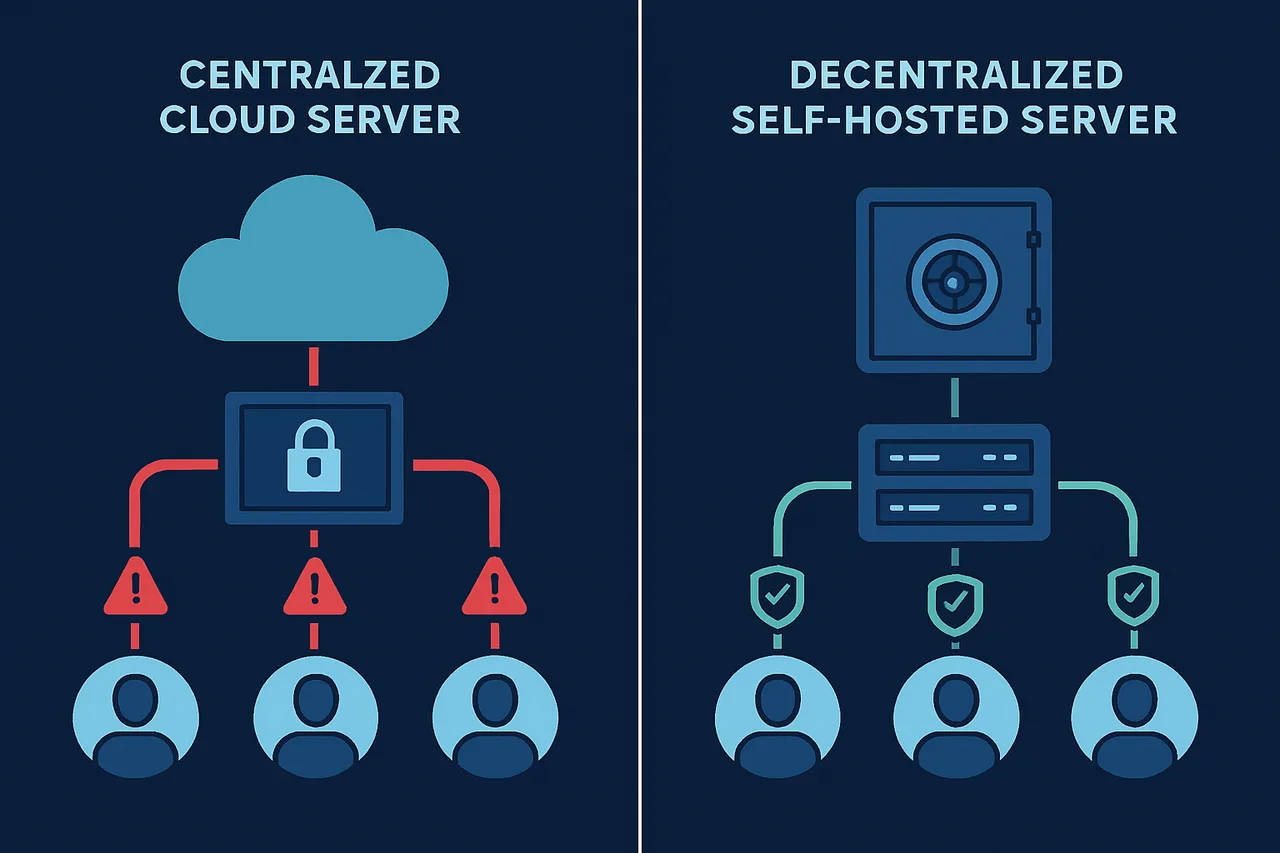
- Complete data ownership—when you self-host, TeamSpeak Systems collects zero data from your server. No tracking, no profiling, no selling.
- AES-256 encryption—all voice traffic, channel messages, private messages, and file transfers are encrypted end-to-end.
- ~50 MB RAM usage—Discord's desktop client devours ~200 MB. TeamSpeak is featherweight by comparison.
- No arbitrary bans—you own the infrastructure. No corporate moderation team can shut down your community overnight.
- Screen sharing at 1440p/60fps—free for everyone. Discord locks this behind Nitro ($9.99/month).
The Overwatch League chose TeamSpeak as its official voice supplier for a reason. Professional teams playing CS2, DOTA2, Rainbow Six Siege, and League of Legends rely on TeamSpeak because latency and audio clarity aren't luxuries—they're requirements.
TeamSpeak 6 vs. TeamSpeak 3: Which Should You Deploy?
TeamSpeak currently offers two server versions. Your choice depends on your needs:
| Feature | TeamSpeak 3 (Stable) | TeamSpeak 6 (Beta) |
|---|---|---|
| Status | Production-ready | Open beta (v6.0.0-beta8) |
| Free slots | 32 (permanent) | 32 (auto-renews every 2 months) |
| Docker support | Community images | Official Docker image |
| Database | SQLite | SQLite or MariaDB |
| Screen sharing | No | 1440p/60fps |
| TS3 client compatible | Yes | No (TS6 client only) |
| NPL license (512 slots) | Available | Not yet |
| Best for | Large communities, stability | Small groups, early adopters |
Our recommendation: If you're running a gaming group of 32 or fewer people and want the latest features (screen sharing, camera, modern UI), go with TeamSpeak 6. The TeamSpeak1Shot installer deploys TS6 by default and handles everything automatically. If you need 500+ slots for a large community, stick with TS3 and apply for a Non-Profit License (512 slots, free).
What You Need Before You Start
Self-hosting a TeamSpeak server is surprisingly lightweight. Here are the minimum requirements:
- A Linux VPS—Ubuntu 22.04+, Debian 12+, or Rocky Linux 8+
- 1 GB RAM minimum—the server itself uses around 50 MB, but Docker and the OS need headroom
- Root (sudo) access—the installer configures Docker, firewall rules, and system services
- Ports 9987/UDP and 30033/TCP available—voice and file transfer
That's it. No special hardware, no expensive hosting tier, no Kubernetes cluster. A $20/month VPS handles TeamSpeak effortlessly with resources to spare.
Recommended Hosting: ScalaHosting Self-Managed VPS
We've tested TeamSpeak1Shot extensively on ScalaHosting's Self-Managed VPS plans and it's the provider we recommend for this use case. Here's why:
- Full KVM virtualization—dedicated resources, not shared. Your voice server won't stutter because a neighbor is mining crypto.
- NVMe SSD storage—fast disk I/O for database operations and file transfers.
- Unmetered bandwidth—voice traffic adds up quickly with 20+ users. No surprise overage charges.
- Free daily snapshots—one-click server backup and restore if anything goes wrong.
- Full root access—no restrictions on Docker, custom firewall rules, or system configuration.
The Build #1 plan (2 CPU cores, 4 GB RAM, 50 GB NVMe, $19.95/month) is more than enough for a 32-slot TeamSpeak server. You could comfortably run TeamSpeak alongside a game server, a web dashboard, or a Matrix chat server on the same box. Check current ScalaHosting pricing →
Deploy TeamSpeak 6 in One Command: Step-by-Step Guide
The TeamSpeak1Shot installer automates the entire deployment. Here's exactly how to go from a blank VPS to a running TeamSpeak server:
Step 1: Get Your VPS
Sign up for a ScalaHosting Self-Managed VPS. Choose the Build #1 plan with Rocky Linux 10 (no SPanel—you don't need a control panel for this). You'll receive your server IP and root credentials via email within minutes.
Step 2: Connect via SSH
Open your terminal and connect to your server:
ssh root@YOUR_SERVER_IPIf you're using ScalaHosting, the default SSH port is 6543:
ssh root@YOUR_SERVER_IP -p 6543Change your root password immediately after first login:
passwdStep 3: Run the One-Command Installer
This single command downloads and runs the TeamSpeak1Shot installer:
curl -fsSL https://raw.githubusercontent.com/loponai/oneshotteamspeak/main/install.sh | sudo bashIf you prefer to review the script before running it (recommended for security-conscious users):
wget https://raw.githubusercontent.com/loponai/oneshotteamspeak/main/install.sh
less install.sh
sudo bash install.sh
The installer will ask you two questions:
- Database choice—SQLite (default, simpler) or MariaDB (better for production/larger servers)
- Admin password—optional. If you skip it, one is generated automatically.
Then it handles everything: Docker installation, Docker Compose setup, firewall configuration (UFW or firewalld), container orchestration, credential generation, and auto-restart policies.
Step 4: Save Your Credentials
After installation completes, the script displays two critical pieces of information:
- Privilege key—this is your one-time admin token. Enter it in the TeamSpeak client to claim server admin rights. You cannot retrieve this later.
- ServerQuery password—used for remote server administration via the query interface.
Both are also saved to a credentials file on disk for safekeeping.
Step 5: Connect With the TeamSpeak 6 Client
- Download the TeamSpeak 6 client (available for Windows, macOS, Linux, Android, and iOS)
- Click Connections → Connect
- Enter your server's IP address
- When prompted, enter your privilege key to gain admin access
- You're live. Create channels, set permissions, invite your team.
The entire process—from purchasing a VPS to talking with your friends—takes under five minutes.
Managing Your TeamSpeak Server
Day-to-day management is simple since everything runs inside Docker. Here are the commands you'll use most:
# Check server status
cd /opt/teamspeak && docker compose ps

# View live logs
docker compose logs -f teamspeak-server

# Restart the server
docker compose restart

# Stop the server
docker compose down

# Start the server
docker compose up -d

# Update to the latest TeamSpeak 6 version
docker compose pull && docker compose up -d
All server data is stored in persistent Docker volumes (teamspeak-data and optionally mariadb-data), so your channels, permissions, and user data survive container restarts and updates.
DNS Setup (Optional but Recommended)
Instead of sharing a raw IP address, point a subdomain to your server:
- Add an A record in your DNS provider:
ts.yourdomain.com → YOUR_SERVER_IP - Users connect to
ts.yourdomain.cominstead of remembering an IP
This also lets you migrate servers without breaking everyone's bookmarks—just update the DNS record.
Hardening Your Server for Production Use
A TeamSpeak server exposes ports to the internet, which means basic security hygiene is non-negotiable. Here's a hardening checklist:
- Change the default SSH port—bots scan port 22 relentlessly. Move SSH to a non-standard port in
/etc/ssh/sshd_config. - Install fail2ban—automatically bans IPs after repeated failed login attempts.
apt install fail2banon Ubuntu/Debian. - Use SSH key authentication—disable password-based SSH entirely once you've set up key pairs.
- Keep the system updated—run
apt update && apt upgrade(ordnf updateon Rocky) weekly. - Restrict the ServerQuery interface—the web query port (10080) is disabled by default. Only enable it if you need remote administration, and whitelist specific IPs.
For additional privacy when administering your server, consider routing your SSH sessions through a VPN. NordVPN masks your real IP from server access logs, which is especially important if you're running a public-facing community server. Check our VPN tier list to compare options.
DDoS Awareness
Voice servers are a common DDoS target, especially in competitive gaming communities. While no setup is DDoS-proof, you can mitigate risk:
- Never share your server IP publicly—use a DNS name and, if needed, proxy voice traffic through a DDoS-protected reverse proxy.
- ScalaHosting includes network-level DDoS protection—their infrastructure absorbs volumetric attacks before they reach your VPS. Learn more →
- Monitor traffic patterns—sudden spikes in UDP traffic to port 9987 may indicate an attack in progress.
Backup and Disaster Recovery
Losing your TeamSpeak server configuration, channel structure, and permissions would mean rebuilding everything from scratch. Here's how to prevent that:
Manual Docker Volume Backup
# Backup TeamSpeak data
docker run --rm -v teamspeak-data:/data -v $(pwd):/backup alpine   tar czf /backup/teamspeak-backup-$(date +%Y%m%d).tar.gz -C /data .

# Backup MariaDB data (if using MariaDB)
docker run --rm -v mariadb-data:/data -v $(pwd):/backup alpine   tar czf /backup/mariadb-backup-$(date +%Y%m%d).tar.gz -C /data .
Automated Backups with Cron
# Add to crontab (runs daily at 3 AM)
0 3 * * * docker run --rm -v teamspeak-data:/data -v /root/backups:/backup alpine tar czf /backup/ts-$(date +%Y%m%d).tar.gz -C /data .
Restoring from Backup
# Stop the server
cd /opt/teamspeak && docker compose down

# Restore data
docker run --rm -v teamspeak-data:/data -v $(pwd):/backup alpine   sh -c "cd /data && tar xzf /backup/teamspeak-backup-20260214.tar.gz"

# Restart
docker compose up -d
Pro tip: ScalaHosting includes free daily snapshots of your entire VPS. If something goes catastrophically wrong, you can restore the entire server to yesterday's state with one click from their dashboard—no Docker commands needed.
Scaling Your TeamSpeak Community
Starting with 5 friends today doesn't mean you'll stay small forever. Here's how TeamSpeak scales, and what VPS resources you'll need at each stage:
| Community Size | Recommended VPS | RAM | Cost/Month |
|---|---|---|---|
| 5–32 users | ScalaHosting Build #1 | 4 GB | $19.95 |
| 32–100 users | ScalaHosting Build #2 | 8 GB | $41.95 |
| 100–500 users | ScalaHosting Build #4 | 16 GB | $77.95 |
| 500+ users | ScalaHosting Build #6 | 32 GB | $153.95 |
TeamSpeak is remarkably efficient. Even a 500-user community with dozens of simultaneous voice channels barely scratches a modern VPS. The real bottleneck is network bandwidth, which is why ScalaHosting's unmetered bandwidth is such an advantage—you'll never hit a ceiling.
Cost Comparison: Self-Hosted vs. Discord vs. Hosted TeamSpeak
| Feature | Self-Hosted TS6 | Discord Free | Discord Nitro | Hosted TS Provider |
|---|---|---|---|---|
| Monthly cost | $19.95 | $0 | $9.99/user | $3.99–$15+ |
| Voice latency | 20–40ms | 50–100ms | 50–100ms | 20–40ms |
| Data ownership | 100% yours | Discord owns it | Discord owns it | Provider has access |
| Screen sharing | 1440p/60fps free | 720p/30fps | 1080p/60fps | 1440p/60fps |
| Audio bitrate | 384 Kbps | 96 Kbps | 384 Kbps | 384 Kbps |
| Custom domain | Yes | No | Vanity URL only | Sometimes |
| Full server control | Yes | No | No | Limited |
| Run other services too | Yes (game servers, bots, websites) | N/A | N/A | No |
The math is clear: for $19.95/month on ScalaHosting, you get a voice server with better audio, lower latency, full privacy, and enough leftover resources to run additional services. Discord is "free" until you factor in what you're paying with your data—and the features you lose without Nitro.
Frequently Asked Questions
Is TeamSpeak 6 stable enough for daily use?
Yes, for groups of 32 or fewer. The beta label means features are still being added, but the core voice engine is solid. Thousands of servers run the TS6 beta daily. The TeamSpeak1Shot installer deploys the latest stable beta automatically.
Can I migrate from TeamSpeak 3 to TeamSpeak 6?
Not yet. There's no official migration tool. You'll need to recreate channels and permissions manually. TeamSpeak Systems has indicated migration tools are planned for the stable release.
What happens when the 32-slot beta license expires?
It auto-renews every two months. As long as your server is running and can reach the TeamSpeak license servers, your 32-slot license refreshes automatically with zero downtime.
Do I need technical experience to use this?
If you can copy and paste a command into a terminal, you can do this. The TeamSpeak1Shot installer handles every technical detail. ScalaHosting provides the VPS with SSH access ready to go—the whole process is five steps.
Can I run other things on the same VPS?
Absolutely. TeamSpeak uses minimal resources. On a ScalaHosting Build #1 (4 GB RAM), you could comfortably run TeamSpeak alongside a Minecraft server, a Matrix chat server, a web dashboard, or even a lightweight game server.
Is TeamSpeak really more private than Discord?
When self-hosted, dramatically so. Discord's privacy policy explicitly states data may be shared with third parties. Self-hosted TeamSpeak collects zero user data—TeamSpeak Systems has no visibility into your server. All communications are encrypted with AES-256. For additional privacy, route your admin connections through NordVPN to keep your real IP out of server logs.
The Bottom Line
Discord's era of being the unchallenged default is ending. Between mandatory age verification, aggressive data collection, and paywalled features, more communities are looking for alternatives that respect their privacy and give them real control.
TeamSpeak 6 is that alternative. It's faster, cleaner-sounding, more private, and—with TeamSpeak1Shot—genuinely easier to deploy than setting up a Discord bot. One command, one minute, and you have a voice server that you actually own.
Grab a VPS from ScalaHosting, run the installer, and you're live. Your community deserves better than being a product in someone else's ecosystem.
Resources: