Last month, I discovered something surprising: I was spending 2.3 hours daily scrolling through social media feeds, yet I couldn't remember a single important news story I'd actually learned. That's when I rediscovered RSS readers – and it completely changed how I consume information online.
An RSS reader is a tool that lets you subscribe directly to websites and blogs, delivering their latest content to you in a clean, chronological feed without algorithms deciding what you should see. Think of it as your personal newspaper that updates automatically throughout the day.
RSS readers are your escape from the algorithm prison
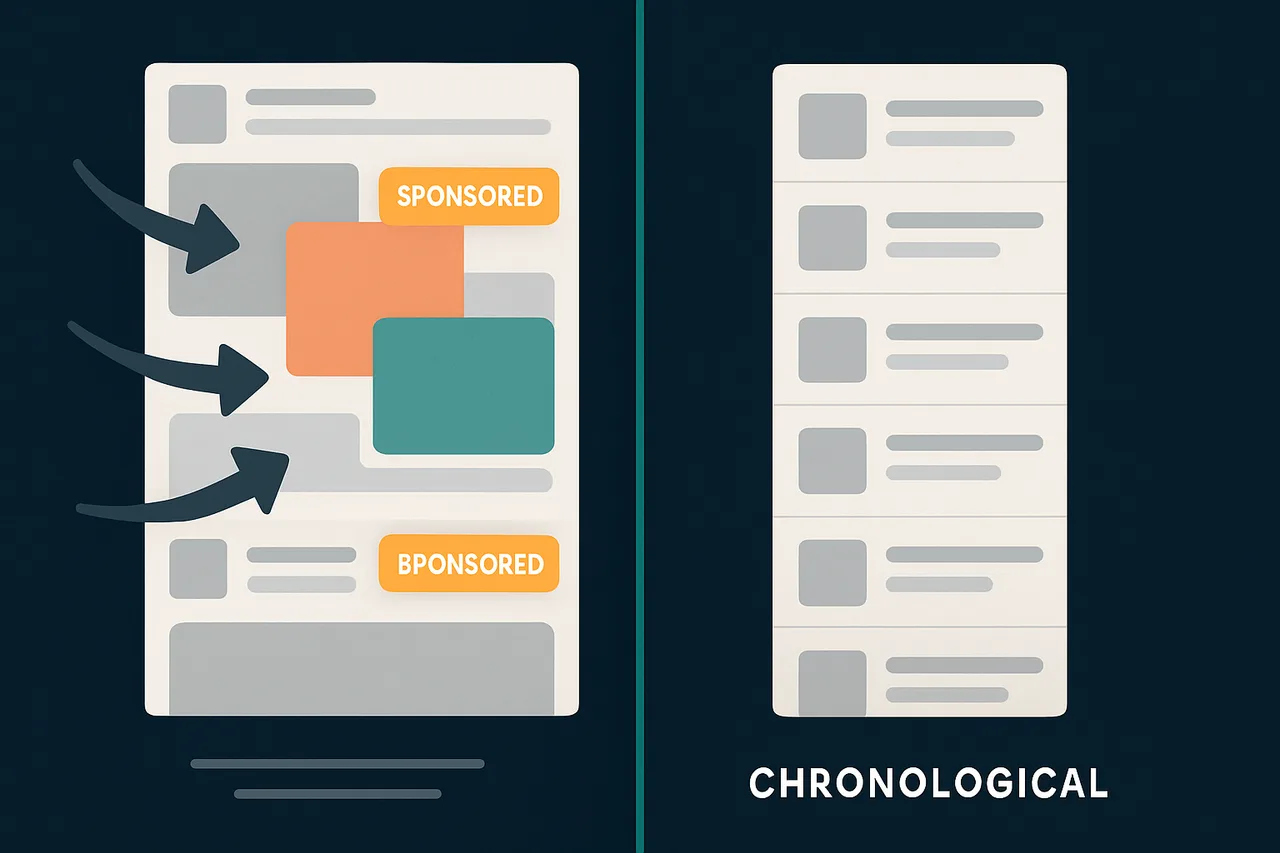
According to a 2025 study by the Digital Wellness Institute, the average person sees only 12% of content from sources they actually follow on social media platforms. The rest gets buried under sponsored posts, suggested content, and algorithmic manipulation designed to maximize engagement, not inform you.
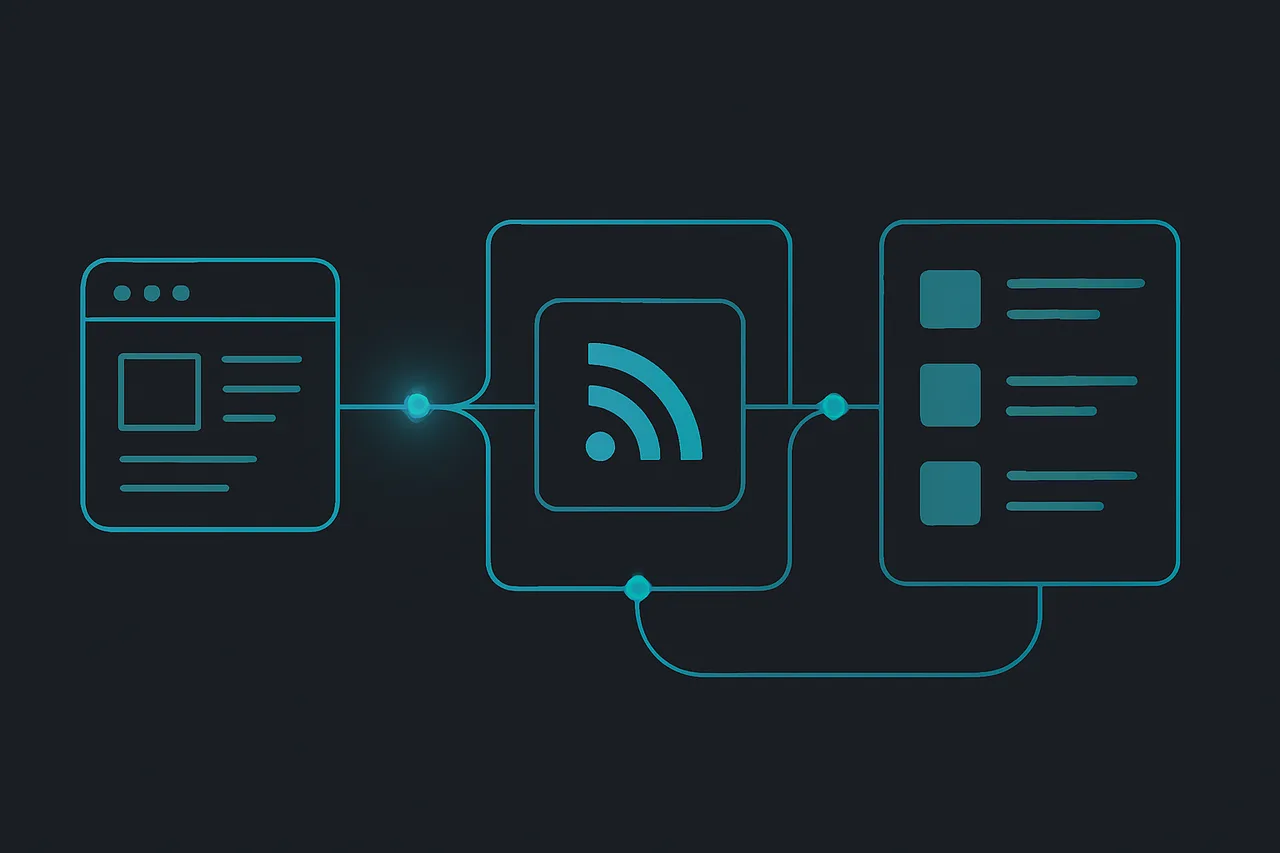
RSS (Really Simple Syndication) works differently. When TechCrunch publishes a new article, it gets added to their RSS feed – a behind-the-scenes file that lists their latest content. Your RSS reader checks this feed regularly and shows you everything they publish, in the order it was published.
No algorithm decides you shouldn't see that important cybersecurity update because you didn't engage with tech content yesterday. No advertiser pays to bury a competitor's product review. You get exactly what you subscribed to, nothing more, nothing less.
The privacy benefits are substantial too. Social media platforms track every click, scroll, and pause to build detailed profiles of your interests. RSS readers typically don't track you at all – they just fetch content and display it.
⭐ S-Tier VPN: NordVPN
S-Tier rated. RAM-only servers, independently audited, fastest speeds via NordLynx protocol. 6,400+ servers worldwide.
Get NordVPN →How to set up your first RSS reader in 5 minutes
Getting started with RSS is surprisingly simple. Here's exactly how I set up my current system:
Step 1: Choose your RSS reader. I recommend starting with Feedly (web-based) or NetNewsWire (Mac/iOS). Both are free and beginner-friendly. Feedly works in any browser, while NetNewsWire offers better privacy since it's a native app.
Step 2: Find RSS feeds for your favorite sites. Most websites still offer RSS feeds, even if they don't advertise them. Try adding "/feed" or "/rss" to the end of a website's URL. For example, "example.com/feed" often works. Your RSS reader can also usually find feeds automatically if you just enter the main website URL.
Step 3: Organize your subscriptions. Create folders like "Tech News," "Local News," or "Industry Updates." I keep my folders small – no more than 10-15 feeds per folder to avoid information overload.
Step 4: Set up a reading routine. I check my RSS reader twice daily: once with morning coffee and once before dinner. This prevents the constant notification anxiety that social media creates.
Step 5: Use a VPN for additional privacy. While RSS readers are more private than social media, your internet provider can still see which feeds you're accessing. A VPN like NordVPN encrypts this traffic, keeping your reading habits completely private.
The hidden pitfalls nobody talks about
RSS isn't perfect, and I learned some lessons the hard way. Here's what to watch out for:
Information overload is real. I initially subscribed to 47 different feeds and felt overwhelmed within days. Start with 5-10 high-quality sources and add more gradually. Quality beats quantity every time.
Some feeds are broken or incomplete. Publishers sometimes provide partial content in their RSS feeds to drive traffic to their websites. This isn't necessarily bad – it lets you decide what's worth reading in full – but it can be frustrating if you prefer reading everything in your reader.
Cloud-based readers have privacy trade-offs. Services like Feedly are convenient because they sync across devices, but they can see what you're reading. If privacy is your main concern, use a local reader like NetNewsWire or Thunderbird's built-in RSS features.
RSS feeds can go stale. Websites sometimes change their feed URLs or stop updating them entirely. Check your feeds monthly and remove any that haven't updated recently or are showing errors.
You might miss breaking news. RSS readers check for updates periodically, not instantly. If you need real-time updates for work or personal reasons, you'll need to supplement RSS with other tools like news alerts or Twitter lists.
RSS vs social media: the privacy showdown
The privacy difference between RSS and social media is stark. Research from Privacy International shows that Facebook collects over 52,000 data points about each user. Twitter tracks your interests across the web using embedded tweets and buttons.
RSS readers collect virtually nothing. Most don't even require accounts – you can use NetNewsWire completely anonymously. Even cloud-based readers like Feedly only know which feeds you've subscribed to, not detailed behavioral data about how you read.
When you combine an RSS reader with a quality VPN, your reading habits become essentially invisible to third parties. Your ISP can't see which specific articles you're reading, and publishers can't build detailed profiles of your browsing behavior.
This matters more than ever in 2026. According to the Electronic Frontier Foundation, news consumption data is increasingly used for political profiling, insurance risk assessment, and employment screening. RSS keeps your information diet private.
Why RSS is making a comeback among privacy-conscious users
Three trends are driving RSS adoption in 2026. First, algorithm fatigue is real – people are tired of platforms deciding what they should see. Second, privacy awareness has reached mainstream audiences following several high-profile data breaches. Third, misinformation concerns have people seeking direct sources rather than filtered social media posts.
Tech workers led the initial RSS revival, but it's spreading. Journalists use RSS to monitor sources without platform bias. Investors track company blogs and SEC filings. Students follow academic publishers and research institutions.
The key insight: RSS gives you control over your information environment. You decide what sources to trust, what topics to follow, and when to read. No engagement-driven algorithm can manipulate your worldview or waste your time with irrelevant content.
Frequently asked questions
Q: Are RSS feeds still widely available in 2026?
A: Yes, though many sites don't prominently advertise them. Most WordPress sites, news outlets, and blogs still provide RSS feeds. Government agencies, academic institutions, and tech companies are particularly reliable RSS sources.
Q: Can I use RSS readers on mobile devices?
A: certainly. NetNewsWire works great on iOS, while Android users can try Feeder or FeedMe. Cloud-based readers like Feedly work in mobile browsers and have dedicated apps that sync across devices.
Q: Do I need a VPN specifically for RSS reading?
A: Not necessarily, but it adds valuable privacy protection. Without a VPN, your ISP can see which RSS feeds you're accessing and potentially build profiles of your interests. NordVPN encrypts this traffic, making your reading habits completely private.
Q: How do RSS readers compare to email newsletters?
A: Both avoid social media algorithms, but RSS is more private since you don't provide an email address. RSS also lets you organize content better and read offline. However, some publishers offer exclusive content through newsletters that isn't available via RSS.
The bottom line: RSS still matters for digital privacy
After three months of using RSS instead of social media for news consumption, I'm never going back. My daily screen time dropped by 40%, I'm better informed about topics I actually care about, and I've eliminated the anxiety that comes from algorithmic feeds designed to capture attention.
RSS isn't a complete replacement for social media – you'll miss some breaking news and social conversations. But for anyone who values privacy, focus, and control over their information diet, RSS readers remain one of the best tools available in 2026.
Start small with 5-10 quality sources, use a privacy-focused reader like NetNewsWire, and consider pairing it with NordVPN for maximum privacy protection. Your future self will thank you for taking control of your information consumption.
" } ```